


Introduction: Why Addons Are Essential for WoW Raiding
Raiding in World of Warcraft is one of the most challenging and rewarding activities in the game. However, without the right tools, even the best players can struggle to track boss mechanics, cooldowns, positioning, and performance metrics. This is where addons come into play.
The best WoW raid addons provide crucial information in real time, helping players improve reaction times, execute mechanics more efficiently, and optimize their damage, healing, or tanking performance. Whether you’re a beginner stepping into your first raid or a veteran tackling Mythic difficulty, having the right raid addons can dramatically improve your success rate.
This guide will cover:
✔ Why addons are essential for raid success
✔ Must-have addons for tracking boss mechanics and debuffs
✔ UI enhancements for better raid awareness and visibility
✔ How WeakAuras can take your raid performance to the next level
✔ Advanced addons for Mythic progression and raid leaders
By the end of this article, you’ll have a fully optimized addon setup that will help you maximize your performance in any raid.
Why Addons Are Crucial for Raiding Success
World of Warcraft’s default UI provides basic raid information, but it lacks the tools needed for high-end performance and efficiency. Addons enhance the experience by providing:
1. Improved Raid Awareness
- Addons like Deadly Boss Mods (DBM) and BigWigs provide visual and audio alerts for boss abilities.
- These warnings help players anticipate mechanics instead of reacting too late.
2. Clearer UI for Positioning and Cooldown Management
- ElvUI, VuhDo, and Plater allow players to customize their UI, making tracking mechanics easier.
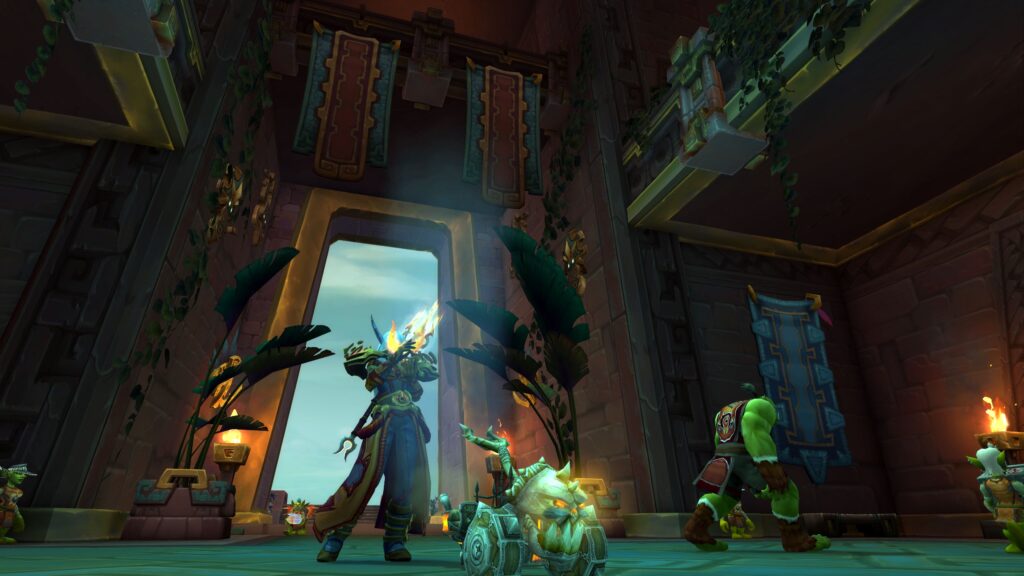
- A clean interface means fewer distractions and faster reactions to raid events.
3. Performance Tracking and Log Analysis
- Details! Damage Meter and Warcraft Logs Companion help players analyze DPS, healing, and mistakes.
- These tools allow raiders to identify weaknesses and improve gameplay.
Addons are not just about making the game easier—they are essential for anyone looking to progress beyond Normal raids into Heroic and Mythic content.
Best WoW Raid Addons for Boss Mechanics and Alerts
1. Deadly Boss Mods (DBM) / BigWigs
Deadly Boss Mods and BigWigs are the most important raid addons for tracking boss mechanics.
- Provide countdown timers for major boss abilities.
- Give loud audio alerts when players need to dodge, interrupt, or move.
- Offer text notifications for upcoming mechanics, reducing reaction time.
Which Should You Choose?
- DBM is beginner-friendly, with automatic settings that work out of the box.
- BigWigs is preferred by Mythic raiders, as it offers deeper customization options.
No matter which one you use, having a boss timer addon is non-negotiable for raiding success.
2. GTFO – Alerts for Avoidable Damage
GTFO is a simple but effective addon that plays loud sound effects when you stand in avoidable damage.
- Perfect for new players who struggle with positioning.
- Works in all PvE content, from dungeons to raids.
- Instant feedback helps reinforce better movement habits.
If you find yourself accidentally standing in fire or void zones, GTFO will quickly help you fix that problem.
UI Enhancements for Better Raid Awareness
A well-organized UI is critical for high-end raiding, and several addons help improve visibility, readability, and reaction time.
1. ElvUI – The Best Customizable UI Addon
ElvUI completely overhauls WoW’s default UI, making it sleek, customizable, and efficient.
- Replaces outdated Blizzard UI elements with a clean interface.
- Allows full customization of action bars, nameplates, and raid frames.
- Removes unnecessary screen clutter, helping players focus on mechanics.
A properly configured ElvUI setup makes tracking raid events much easier, allowing players to react faster.
2. Plater – Nameplate Customization for Better Target Management
Plater is an advanced nameplate addon that helps with:
- Highlighting priority targets and interruptible enemies.
- Customizing color-coded nameplates to make dangerous enemies stand out.
- Improving visibility of important mechanics, like add spawns and debuff timers.
Using Plater correctly ensures that you never miss an interrupt or kill priority assignment.
3. VuhDo – The Best Raid Frame Addon for Healers
For healers, VuhDo is a game-changer.
- Customizes raid frames to make healing, dispelling, and cooldown tracking easier.
- Supports click-to-cast healing, allowing faster response times.
- Works well with WeakAuras for tracking incoming damage and healing needs.
VuhDo is essential for anyone playing a healer in raids, making it easier to react to emergencies.
WeakAuras: The Most Powerful Raid Addon
WeakAuras is a must-have addon for raiding, allowing players to create custom notifications, cooldown trackers, and boss mechanic alerts.
1. What Does WeakAuras Do?
- Tracks debuffs, cooldowns, and boss mechanics with custom icons and animations.
- Provides visual and audio alerts for personal responsibilities in fights.
- Helps tanks, healers, and DPS optimize their role-specific actions.
2. Setting Up WeakAuras for Raids
- Install WeakAuras from CurseForge.
- Visit Wago.io to find pre-made raid WeakAuras for your current raid tier.
- Import the WeakAura string into the addon and customize it as needed.
Once configured, WeakAuras will provide highly detailed alerts, making mechanics easier to track and react to.
Advanced Addons for Mythic Raiders and Raid Leaders
For Mythic progression and raid leaders, more advanced tools are needed for tracking cooldowns, loot, and strategy execution.
1. Exorsus Raid Tools (ERT)
- Tracks battle rezzes, healing cooldowns, and interrupt assignments.
- Helps raid leaders organize mechanics and player responsibilities.
- Includes notes and markers for positioning strategies.
2. Details! Damage Meter – Performance Analysis
- Tracks real-time DPS, healing output, and damage taken.
- Helps players analyze their performance and improve efficiency.
- Works with Warcraft Logs for deeper analysis.
3. RCLootCouncil – Managing Loot Distribution
- Ideal for guild-based raiding where loot is distributed manually.
- Allows officers to vote on loot priority based on performance and role.
For serious Mythic raiding, these advanced addons help streamline communication, strategy execution, and raid efficiency.
Now that we’ve covered the best WoW raid addons, it’s time to fine-tune your setup for efficiency, clarity, and peak performance. Having addons installed is one thing—but configuring them correctly ensures you get the most value from each one.
In this section, we’ll go over:
✔ How to optimize your UI for minimal clutter and maximum raid awareness
✔ Fine-tuning WeakAuras to display only the most important information
✔ Reducing addon lag and improving FPS during raid encounters
✔ Troubleshooting addon conflicts and fixing common issues
By implementing these adjustments, you’ll create a well-optimized raiding interface that helps you react faster, stay focused, and perform at your best in any raid.
Optimizing Your Raid UI for Clarity and Efficiency
A cluttered UI is one of the biggest obstacles to effective raiding. Too many addons displaying unnecessary information can obscure your vision, cause distractions, and even reduce FPS (frames per second). The best raiders keep their UI as clean and efficient as possible, showing only the most important information at any given moment.
1. Adjusting Nameplates for Better Visibility
- Use Plater or ThreatPlates to resize enemy nameplates for better readability.
- Highlight priority targets like adds that need to be killed or interrupted.
- Customize debuff indicators so important boss effects stand out.
2. Organizing Action Bars and Buff Displays
- Move your most-used cooldowns closer to your character’s center screen so they’re easy to track.
- Minimize excessive buff tracking—you don’t need to see every buff, just the most relevant ones.
- Use OmniCC to add cooldown timers to your abilities, making it easier to plan your next move.
3. Positioning Raid Frames for Maximum Awareness
- For healers, use VuhDo or Grid2 to place raid frames in a clear, easy-to-click location.
- For tanks and DPS, move group frames to a non-intrusive part of your UI to keep track of raid health and status.
A well-organized UI reduces distractions and makes tracking mechanics, timers, and cooldowns much easier, leading to faster reactions and fewer mistakes.
Fine-Tuning WeakAuras for Raid Performance
WeakAuras is one of the most powerful addons for raiding, but many players overload their screens with too many alerts. Fine-tuning your WeakAuras setup ensures that you only see the most critical information, reducing distractions while maximizing reaction time.
1. Prioritizing Essential WeakAuras
Instead of tracking every debuff and cooldown, focus on WeakAuras that:
✔ Alert you to personal mechanics that require immediate action
✔ Help you track critical boss abilities that impact your role
✔ Highlight defensive cooldown usage and major raid events
2. Disabling Unnecessary Notifications
- Many WeakAuras come with excessive sound or flashing effects—disable unnecessary ones to avoid sensory overload.
- Only use audio alerts for game-changing mechanics (e.g., tank swaps, soak mechanics, or high-priority interrupts).
- Resize WeakAuras to fit your UI properly—too large and they block visibility, too small and they’re easy to miss.
3. Using Pre-Made WeakAuras for Each Raid
- Visit Wago.io to download community-tested WeakAuras for each current raid.
- Customize them to match your playstyle, adjusting size, color, and positioning for clarity.
A well-configured WeakAuras setup ensures that you receive only the most necessary alerts, keeping you informed without overwhelming your screen.
Reducing Addon Lag and Improving FPS in Raids
One common issue with addon-heavy raid setups is that they can cause FPS drops and slow down game performance. Lag spikes during crucial boss fights can lead to avoidable deaths and failed mechanics, so optimizing addons for better performance is essential.
1. Disabling Unused Addons During Raids
- Many players run dozens of addons they don’t actually use in raids.
- Use Addon Control Panel (ACP) to enable only the essential raid addons when inside a raid instance.
- Turn off excessive UI customization addons like TSM or immersive roleplay mods during raids.
2. Lowering Combat Log Spam for Better Performance
- Damage meters like Details! constantly track combat logs, which can cause lag.
- Limit combat log tracking to “Self Only” in your Warcraft Logs settings.
- Disable floating combat text in WoW settings if using WeakAuras for alerts instead.
3. Adjusting Nameplate and Spell Effect Settings
- Reduce nameplate update frequency in Plater or ThreatPlates to improve FPS.
- Lower spell effect density in the game’s graphics settings to reduce visual clutter.
- Adjust raid size scaling so that UI elements remain visible without overwhelming your screen.
These optimizations can dramatically improve FPS in raids, ensuring smooth gameplay even during high-intensity encounters.
Troubleshooting Addon Conflicts and Fixing Common Issues
Even the best raid addons can sometimes conflict with each other, leading to UI errors, missing information, or even game crashes. Knowing how to quickly troubleshoot addon problems will help you avoid technical issues during critical raid encounters.
1. Identifying and Fixing Lua Errors
- If you get a constant stream of error messages, type:
/console scriptErrors 1- This command will show which addon is causing the issue.
- Update all addons using CurseForge or WoWUp to prevent outdated versions from breaking.
2. Resolving UI Freezes and FPS Drops
- If your game freezes during a raid, disable all WeakAuras and nameplates to check if they’re the cause.
- Turn off Details! Damage Meter temporarily to see if combat log tracking is affecting performance.
- If the problem persists, reset your UI by renaming your WTF, Interface, and Cache folders in your WoW directory.
3. Preventing Addon Bloat
- Many players install multiple addons that serve the same purpose, leading to redundant tracking and UI clutter.
- Stick to one boss mod (DBM or BigWigs) and avoid running both.
- Use WeakAuras for custom tracking instead of stacking multiple alert-based addons.
By keeping your addon setup lightweight and troubleshooting issues proactively, you’ll maintain a smooth, responsive raid UI that performs well under pressure.
Final Thoughts: Mastering Your Addon Setup for Competitive Raiding
Mastering WoW raid addons isn’t just about installing a bunch of mods—it’s about fine-tuning them to give you the right information without unnecessary clutter. With the right setup, you’ll have faster reaction times, better raid awareness, and improved execution of mechanics.
Key Takeaways for Optimizing Your Addons:
✔ Keep your UI clean and only display the most essential information.
✔ Use WeakAuras strategically—avoid excessive notifications.
✔ Improve FPS by disabling non-essential addons during raids.
✔ Troubleshoot addon conflicts before they become a problem.
By implementing these advanced UI optimizations, you’ll be able to raid more efficiently, improve your performance, and contribute more effectively to your team.
What’s your favorite raid addon? Share your setup and let’s discuss ways to refine raid performance! 🚀
Leave a Reply